
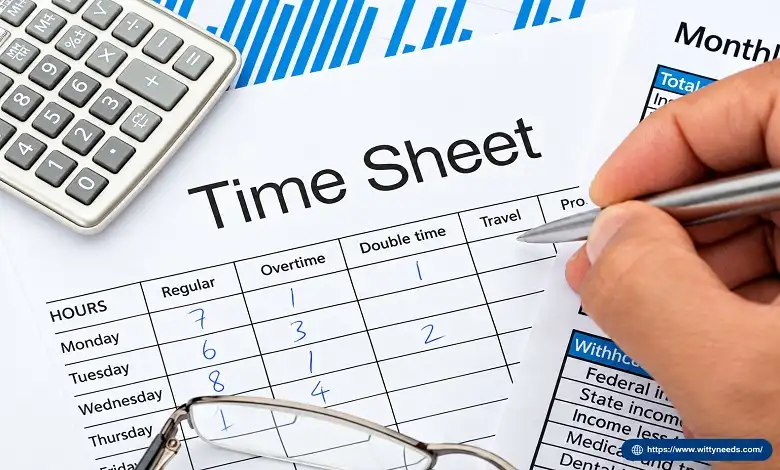
Understanding what is a timesheet is important for businesses, freelancers, project managers, and employees who need to track working hours accurately. A timesheet is a record of the time spent working during a particular period, often organized by employee, project, client, or task. Businesses use timesheets to support payroll calculations, monitor project progress, manage workloads, and prepare accurate client invoices.
Timesheets were traditionally maintained on paper or spreadsheets, but many organizations now use digital time-tracking tools to record hours, submit entries for approval, and generate reports. The right approach depends on the size of the business, the type of work, and whether the primary goal is employee attendance, project tracking, or client billing.
What Is a Timesheet?
A timesheet is a document or digital record used to track the hours an employee or contractor works over a specified period. It may include start and end times, total hours worked, breaks, project names, task descriptions, and billable hours.
For example, a marketing agency may use timesheets to record how much time its team spends on keyword research, content writing, technical SEO, and link-building campaigns. This information helps the agency understand project costs and calculate client charges when work is billed by the hour.
A timesheet is not limited to employees working fixed schedules. Freelancers, consultants, construction teams, IT professionals, and remote workers can also use timesheets to document their time and organize work more effectively.
How Does a Timesheet Work?
The timesheet process usually involves recording time, reviewing entries, and using the information for payroll, project management, or billing.
- Record working hours: Employees enter their start time, finish time, breaks, or total hours worked.
- Assign time to tasks: Where necessary, they identify the project, client, department, or activity associated with each entry.
- Submit the timesheet: Employees submit their records daily, weekly, or according to the company’s reporting schedule.
- Review and approve: A supervisor or manager checks the entries for missing information, errors, or inconsistencies.
- Use the recorded data: Approved records can support payroll processing, project cost analysis, resource planning, and customer invoicing.
The exact workflow varies by organization. Some businesses use clock-in and clock-out records, while others allow employees to enter the duration of each task manually.
What Information Does a Timesheet Include?
A useful timesheet should capture enough information to explain how working time was spent without making the process unnecessarily complicated.
Common fields include:
- Employee or contractor name
- Date and reporting period
- Project, client, or department
- Task or work description
- Start time and end time, or total duration
- Breaks and non-working periods, where relevant
- Billable and non-billable hours
- Employee submission and manager approval status
Not every timesheet requires all these fields. An attendance-focused timesheet may emphasize clock-in and clock-out times, while a consultant’s timesheet may need detailed task descriptions and billable hours.
Types of Timesheets
Different timesheet formats serve different business needs. Choosing the right type can make time tracking easier and improve the usefulness of the information collected.
1. Daily Timesheet
A daily timesheet records the hours worked and tasks completed during a single working day. It is useful for employees with changing schedules, field workers, and professionals who need detailed records of daily activities.
2. Weekly Timesheet
A weekly timesheet groups working hours across seven days. It allows employees and managers to review the week’s total hours, overtime where applicable, project allocations, and missing entries.
3. Biweekly or Monthly Timesheet
These timesheets cover longer reporting periods and may align with payroll cycles or internal reporting requirements. Businesses should make sure the chosen period fits their payroll procedures and applicable recordkeeping rules.
4. Project-Based Timesheet
A project-based timesheet records time against individual projects and tasks. Agencies, consultants, software developers, and other service providers can use this information to compare actual effort with project estimates and budgets.
5. Employee Attendance Timesheet
An attendance timesheet focuses on when employees start and finish work, along with relevant breaks, absences, or overtime. It can support payroll preparation, although the exact attendance and leave records required depend on the employer’s policies and local regulations.
6. Digital or Automated Timesheet
A digital timesheet uses software, a mobile app, or an online platform to collect and organize time records. Depending on the system, employees may enter hours manually, use a timer, or submit records generated from approved time-tracking workflows.
What Are the Benefits of Using Timesheets?
A well-managed timesheet system can help a business improve financial accuracy, project visibility, and workforce planning.
More accurate payroll preparation
Recorded hours give payroll teams a clearer basis for calculating regular hours, overtime, and other applicable payments. Timesheets should still be checked against employment terms, attendance records, and local labour requirements.
Better project cost management
Timesheets show how much time different tasks consume. Comparing actual hours with estimates helps project managers identify delays, understand cost overruns, and improve future planning.
Transparent client billing
Businesses that charge by the hour can use approved timesheet entries to explain the work completed and support invoice calculations. Clear descriptions and accurate records can reduce billing disputes.
Improved resource allocation
Managers can review how employees divide their time across projects. This information can help identify overloaded teams, recurring bottlenecks, and activities that require additional resources.
More informed business decisions
Historical timesheet data can help estimate project timelines, calculate labour costs, and evaluate whether the original scope and budget were realistic.
Timesheets are most useful when the recorded information is accurate and relevant. Simply collecting hours does not automatically improve productivity; managers must interpret the data in the context of work quality, project outcomes, and employee responsibilities.
Timesheet Example
Consider a freelance content writer who works for a digital marketing agency. The writer records time spent on three activities during one working day.
| Task | Time Spent | Billable Status |
| Keyword research | 1.5 hours | Billable |
| Article writing | 3 hours | Billable |
| Internal team meeting | 0.5 hours | Non-billable |
| Content editing | 2 hours | Billable |
| Total | 7 hours |
In this example, the writer records seven working hours, including six and a half billable hours and half an hour of non-billable time.
If the agreed billing rate is $40 per billable hour, the time-based charge for the recorded billable work would be $260, before any applicable taxes, adjustments, or contractual terms.
This example shows why separating billable and non-billable hours matters. The total time worked and the time charged to a client are not always the same.
How to Create a Timesheet

You can create a timesheet using a spreadsheet, a printable template, or dedicated time-tracking software. The best option depends on how many people need to record time and how the information will be used.
Step 1: Choose a Reporting Period
Decide whether employees should record time daily, weekly, biweekly, or according to another suitable schedule. Keep the period consistent with the company’s payroll and project reporting processes.
Step 2: Add the Required Fields
Include employee names, dates, project details, task descriptions, and working hours. Add break time, billable status, or approval fields when relevant.
Step 3: Establish Clear Recording Rules
Explain when employees should enter their time, how to record breaks, how to correct mistakes, and when timesheets must be submitted. Consistent rules help prevent incomplete or conflicting records.
Step 4: Review and Approve Entries
Managers should check for missing entries, duplicate records, unusual totals, and incorrect project assignments. Any corrections should follow a clear process that preserves the accuracy of the record.
Step 5: Use the Data
Once reviewed, the information can support payroll, client invoices, project reports, and resource planning. Reviewing trends over several reporting periods can be more useful than focusing on a single week’s figures.
Manual Timesheets vs. Digital Timesheets
Both manual and digital timesheets can work well, but their suitability depends on the organization’s needs.
| Feature | Manual or Spreadsheet Timesheet | Digital Timesheet Software |
| Setup | Usually, simple | May require configuration |
| Time entry | Manual entry | Manual entry, timers, or integrations |
| Calculations | May require formulas | Often calculated automatically |
| Approval process | Email or manual review | May include approval workflows |
| Reporting | Basic unless customized | May offer project and employee reports |
| Best suited for | Individuals and small teams | Teams needing centralized tracking |
A spreadsheet may be sufficient for a freelancer or a small business with straightforward requirements. A larger organization may benefit from software that integrates time tracking with payroll, project management, accounting, or invoicing systems.
Digital tools can reduce repetitive work, but they still require appropriate permissions, reliable configuration, and human review.
Timesheet Software Trends: Automation, AI, and Remote Work
Modern time-tracking systems increasingly offer features that go beyond recording hours. Businesses should evaluate these features based on their actual workflow rather than adopting technology simply because it is available.
Automated time capture: Timers, calendar integrations, and project tools can help reduce manual entry. However, automatically captured time may need employee review before it is used for payroll or billing.
AI-assisted timesheet management: Some newer tools use automation or AI to categorize activities, identify missing entries, summarize time records, or highlight unusual patterns. These features can save administrative effort, but generated entries should be checked for accuracy.
Remote and hybrid team tracking: Digital timesheets make it easier for distributed teams to submit records from different locations. Clear policies are important so employees understand what information is collected and how it will be used.
Integration with payroll and invoicing: Connecting time records with finance systems can reduce duplicate data entry and make it easier to transfer approved hours into payroll or client invoices.
Privacy-conscious time tracking: Businesses should be transparent about their tracking practices, collect only information that is reasonably necessary, restrict access to sensitive records, and follow applicable privacy and employment laws. Recording working hours does not automatically justify continuous monitoring of an employee’s screen, keystrokes, or personal activity.
Automation is most effective when it improves record accuracy and reduces administrative effort without creating unnecessary monitoring or replacing appropriate human oversight.
Common Timesheet Mistakes to Avoid
Even a well-designed timesheet can become unreliable when employees or managers do not follow consistent procedures.
- Entering hours from memory: Long delays between work and time entry can lead to inaccurate estimates. Recording time regularly helps improve accuracy.
- Forgetting breaks: Breaks should be recorded and deducted according to the organization’s policy and applicable rules.
- Mixing billable and non-billable time: Separate categories make client billing and project cost analysis clearer.
- Using vague task descriptions: Entries such as general work provide less useful information than specific descriptions of completed activities.
- Missing submission deadlines: Late timesheets can delay approvals, payroll preparation, or invoicing.
- Failing to review records: Managers should resolve inconsistencies before using timesheet data for financial or operational decisions.
Businesses should also avoid treating hours worked as the only measure of employee performance. Time records are useful for understanding effort and capacity, but they do not independently measure quality, creativity, customer satisfaction, or business impact.
Conclusion
A timesheet is a practical tool for recording working hours, organizing project time, supporting payroll, and improving the accuracy of client billing. Whether a business uses a spreadsheet or digital timesheet software, the most important factors are consistent time entry, clear recording rules, accurate approvals, and appropriate use of the data.
For small teams, a simple timesheet may be enough. Businesses managing multiple employees, clients, or projects may benefit from automated workflows and integrations. By choosing a system that fits their needs and respecting employee privacy, organizations can turn time records into useful information for better project planning and financial management.
Frequently Asked Questions About Timesheets
Q: What is a timesheet used for?
A. A timesheet records working hours and time spent on tasks. It can support payroll preparation, overtime calculations, project tracking, client billing, labour-cost analysis, and resource planning.
Q: Is a timesheet the same as a time card?
A. Not exactly. A time card traditionally records clock-in and clock-out times, often for attendance purposes. A timesheet can include those details but may also track project assignments, task descriptions, billable hours, and work performed during a reporting period. The terms can overlap depending on the workplace.
Q: What is the difference between a timesheet and time tracking?
A. Time tracking is the process of recording how time is spent. A timesheet is the record that organizes those time entries for a particular period, employee, project, or purpose.
Q: Do freelancers need timesheets?
A. Freelancers can benefit from timesheets when they bill hourly, manage several clients, estimate project costs, or need to understand how much time different tasks require. Even freelancers who charge fixed project fees may use time records to evaluate profitability.
Q: Are digital timesheets better than spreadsheets?
A. Digital timesheets can offer automation, approval workflows, integrations, and more detailed reporting. Spreadsheets can be a practical and affordable choice for simple requirements. The better option is the one that meets the organization’s needs while keeping records accurate and easy to review.
Q: Can a timesheet help improve productivity?
A. Yes, when the data is used to identify bottlenecks, improve estimates, balance workloads, and plan resources. However, timesheets should be interpreted alongside work quality and results rather than used as a standalone measure of productivity.