
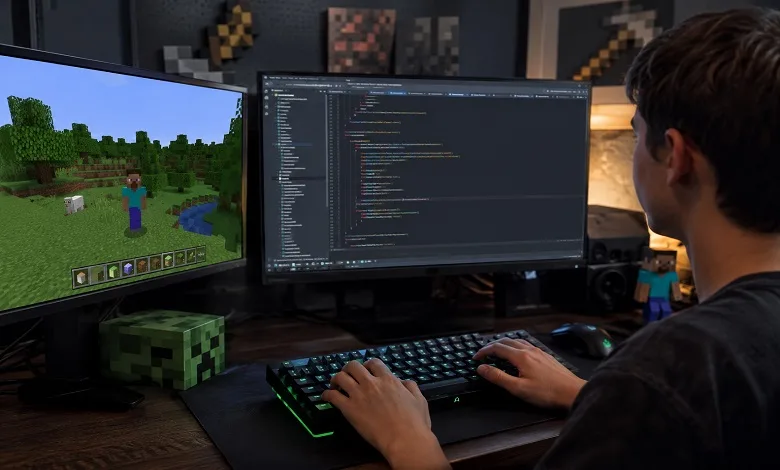
Minecraft has inspired millions of players to build incredible worlds, automate complex systems, and create unique adventures. For many players, however, the next step isn’t just playing the game—it’s changing it. That’s exactly what makes Minecraft mod Java programming so exciting.
Modding allows you to transform the game in almost any way you can imagine. You can introduce new blocks, powerful tools, unique weapons, friendly or hostile creatures, custom dimensions, advanced machines, magic systems, or entirely new gameplay mechanics. Some of today’s most popular Minecraft experiences began as small community-created mods developed by passionate programmers.
Although creating a Minecraft mod may seem complicated at first, modern development tools have made the learning process much more approachable. With a basic understanding of Java, the right software, and a willingness to experiment, anyone can begin building custom features for Minecraft: Java Edition.
In this guide, you’ll learn how Minecraft mods work, why Java remains the foundation of mod development, which tools professionals use, and the essential concepts every beginner should understand before creating their first project.
What Is Minecraft Mod Java Programming?
Minecraft mod Java programming is the process of developing custom modifications for Minecraft: Java Edition using the Java programming language. These modifications—commonly called mods—extend or change the game’s original features without rewriting Minecraft from scratch.
A mod can be as simple as adding a new decorative block or as advanced as creating an entirely different game experience with custom mechanics, quests, dimensions, and user interfaces.
Some popular examples of what mods can add include:
- New ores, blocks, and crafting materials
- Advanced machinery and automation
- Magic systems and spell casting
- New animals, monsters, and bosses
- Improved farming mechanics
- Space exploration
- Better inventory management
- Enhanced world generation
- New villages and structures
- Quality-of-life improvements
The flexibility of Java allows developers to customize nearly every aspect of the game while maintaining compatibility with Minecraft’s core systems.
Why Java Is the Foundation of Minecraft Modding
Minecraft: Java Edition was originally developed using Java, making it the natural language for extending the game’s functionality.
Instead of learning an entirely new programming language, mod developers build upon the same technology that powers the game itself.
Learning Java offers several long-term benefits beyond Minecraft.
Easy Transition into Game Development
Many programming concepts learned while creating Minecraft mods—such as object-oriented programming, event handling, and software architecture—also apply to professional game development.
Massive Learning Community
Java has one of the world’s largest developer communities.
Whether you’re searching for tutorials, documentation, discussion forums, or open-source projects, you’ll find countless resources created by experienced developers willing to share their knowledge.
Strong Performance and Stability
Java provides excellent cross-platform compatibility and has been optimized for large-scale applications over many years.
This stability is one reason Minecraft continues to support millions of players worldwide.
How Minecraft Mods Actually Work
One of the biggest misconceptions among beginners is that mods directly edit Minecraft’s original files.
In reality, modern mods work through specialized frameworks that communicate with the game during startup. These frameworks provide developers with safe methods for adding new content without permanently altering the original game installation.
When Minecraft launches, the mod loader identifies installed mods, loads their resources, registers custom content, and connects everything to the game before a world is opened.
This approach offers several advantages:
- Easier updates
- Better compatibility between multiple mods
- Improved stability
- Simpler debugging
- Reduced risk of damaging game files
Understanding this workflow helps explain why choosing the right modding framework is an important first step.
What Can You Create?
The possibilities are much broader than many beginners expect.
With enough experience, you can create mods that introduce entirely new gameplay systems.
Popular project ideas include:
Custom Items
Design unique swords, tools, armor, food, or magical artifacts with special abilities.
New Blocks
Create decorative building materials, interactive blocks, storage systems, or advanced machines.
Custom Creatures
Develop friendly animals, dangerous monsters, or powerful bosses with original behaviors and animations.
New Biomes
Expand Minecraft’s world generation by introducing forests, deserts, underground environments, oceans, or fantasy landscapes.
Gameplay Improvements
Many successful mods don’t add new content at all—they improve the existing experience by enhancing inventory management, navigation, farming, crafting, or user interface design.
Complete Game Expansions
Experienced developers often combine multiple systems into massive projects that introduce new progression paths, technology trees, dimensions, economies, and adventures.
Essential Java Skills Every Beginner Should Learn
You don’t need to master Java before creating your first Minecraft mod, but understanding several core concepts will make development significantly easier.
Variables
Variables allow Minecraft to store information such as player health, block durability, item names, crafting values, and game settings.
Every feature inside a mod depends on storing and updating information correctly.
Classes and Objects
Minecraft itself is built around objects.
Players, villagers, zombies, blocks, tools, projectiles, and animals are all represented as objects with unique properties and behaviours.
Learning how objects interact is one of the most valuable skills for any mod developer.
Methods
Methods perform specific actions.
For example, a method might create an item, update player statistics, generate terrain, or trigger visual effects when a player interacts with an object.
Keeping methods focused on one task makes larger projects easier to maintain.
Decision Making
Many game mechanics depend on conditions.
Examples include:
- Giving rewards after defeating a boss
- Opening a secret door only with a special key
- Preventing certain tools from breaking specific blocks
- Applying effects when players enter dangerous areas
Conditional logic makes these interactions possible.
Collections
As projects become larger, developers often manage groups of items, blocks, entities, or recipes.
Understanding collections helps organize information efficiently while reducing repetitive code.
Choosing the Right Modding Framework
Modern Minecraft mods are usually developed with either Fabric or Forge.
Both frameworks are excellent choices, but they serve slightly different purposes.
| Feature | Fabric | Forge |
| Learning Curve | Beginner-friendly | Moderate |
| Performance | Lightweight | Feature-rich |
| Update Speed | Very fast | Slightly slower |
| Community Support | Large and growing | Long-established |
| Best For | Smaller and modern projects | Large content-rich mods |
If you’re completely new to modding, either framework can be a good starting point. Many developers choose based on the Minecraft version they plan to support or the community surrounding a particular project.
Setting Up Your Development Environment
Before writing your first mod, you’ll need several development tools.
Each plays a different role in the overall workflow.
Java Development Kit (JDK)
The JDK provides everything needed to compile and run Java applications.
Always use the version recommended for your chosen Minecraft release and modding framework.
Integrated Development Environment (IDE)
An IDE helps you write, organize, test, and debug your projects efficiently.
Professional developers typically use modern IDEs because they simplify project navigation, highlight errors, and provide intelligent code suggestions.
Gradle
Gradle manages project dependencies, downloads required libraries, compiles source files, and packages completed mods.
Although it operates mostly behind the scenes, Gradle is an important part of nearly every modern Minecraft modding project.
Version Control
As projects become larger, using version control software allows developers to track changes, restore previous versions, and collaborate with other programmers.
Even beginners benefit from maintaining backups throughout development.
Common Beginner Mistakes
Every new mod developer encounters challenges. Understanding common mistakes early can save hours of frustration.
Some frequent issues include:
- Using incompatible software versions
- Skipping Java fundamentals
- Starting with overly ambitious projects
- Ignoring project organization
- Forgetting to test changes regularly
- Relying entirely on tutorials without understanding the underlying concepts
Building a simple custom item or block first provides valuable experience before moving on to more advanced systems.
Building Good Development Habits
Successful mod developers spend just as much time planning as they do programming.
Before adding new features, consider:
- What problem does this mod solve?
- How will players use it?
- Will it remain compatible with future updates?
- Can the project be expanded later?
- Is the code organized for long-term maintenance?
Thinking through these questions early leads to cleaner, more reliable projects and makes future updates much easier.
Understanding the Minecraft Mod Development Process
Many beginners think creating a Minecraft mod is simply writing Java code and launching the game. In reality, mod development follows a structured process where every component must be prepared, connected, and tested before players can use it.
A typical Minecraft mod Java programming workflow includes:
- Planning the mod’s features
- Setting up the development workspace
- Creating Java classes
- Registering game content
- Designing textures and assets
- Testing each feature
- Fixing bugs
- Optimizing performance
- Building the release version
- Publishing updates
Breaking development into smaller stages makes even large projects easier to manage.
Start Small Before Building Bigger Mods
One of the biggest mistakes new developers make is trying to create an enormous mod immediately.
A better approach is to build features gradually.
For example, instead of creating a complete RPG system, begin with:
- One custom item
- One decorative block
- One crafting recipe
- One simple tool
Once these features work correctly, you can continue adding new mechanics.
Every successful Minecraft mod has grown through small improvements rather than a single massive release.
Understanding Content Registration
Every custom object added to Minecraft must be recognized by the game during startup.
Registration tells Minecraft that your new content exists and should become part of the game.
Common elements that require registration include:
Items
Items are one of the easiest features to create when learning Minecraft mod Java programming.
Examples include:
- Weapons
- Tools
- Food
- Building materials
- Magic artifacts
- Resources
Each item has its own characteristics, such as durability, rarity, crafting recipe, and creative inventory category.
Blocks
Blocks are the foundation of Minecraft gameplay.
Besides decorative blocks, developers often create:
- Machines
- Storage blocks
- Interactive switches
- Farming equipment
- Functional workstations
Good block design balances appearance with gameplay value.
Custom Mobs
Creating custom creatures is one of the most rewarding parts of Minecraft modding.
A mob may include:
- Custom movement
- Health values
- Attack behaviour
- Sounds
- Loot tables
- Spawn conditions
- Special abilities
Well-designed mobs make worlds feel more dynamic and immersive.
Organize Your Project Like a Professional
As your mod grows, hundreds of files can quickly become difficult to manage.
Professional developers organize projects into logical categories rather than placing everything together.
Typical project sections include:
- Java source files
- Assets
- Textures
- Models
- Sounds
- Language files
- Recipes
- Loot tables
- World generation
- Configuration
Keeping files organized makes future updates much easier and reduces the chances of introducing errors when adding new features.
Writing Maintainable Java Projects
As projects become larger, clean organization becomes just as important as programming itself.
Good development habits include:
- Giving classes meaningful names
- Separating different systems into their own packages
- Removing unused resources
- Keeping projects organized
- Updating documentation regularly
These habits save significant time when maintaining or expanding your mod months later.
Debugging Common Problems
Even experienced developers spend a large portion of their time debugging.
Fortunately, most beginner problems fall into familiar categories.
Version Mismatches
Using incompatible Minecraft, Java, or framework versions can prevent a mod from loading correctly.
Always confirm compatibility before upgrading your development environment.
Missing Assets
Incorrect file names or misplaced textures often result in missing graphics or placeholder icons.
A consistent folder structure helps prevent these issues.
Broken Recipes
Crafting recipes should always be tested in-game to ensure they appear correctly and produce the intended results.
Performance Issues
Large numbers of entities, complex world generation, or inefficient systems may reduce game performance.
Testing on different worlds and hardware configurations helps identify potential bottlenecks early.
Optimizing Your Mod for Better Performance
Performance optimization becomes increasingly important as your project grows.
Simple improvements can significantly improve the player experience.
Best practices include:
- Remove unused resources.
- Avoid repeating unnecessary calculations.
- Keep entity behaviour efficient.
- Optimize world generation.
- Test with larger worlds.
- Minimize unnecessary background processing.
Players are much more likely to recommend a stable, well-optimized mod than one with dozens of features but frequent lag.
Maintaining Compatibility Between Minecraft Versions
Minecraft receives regular updates, and each new release may introduce changes that affect existing mods.
When maintaining your project:
- Read update notes carefully.
- Test each Minecraft version separately.
- Update dependencies when required.
- Review deprecated features before releasing new builds.
Supporting multiple game versions often requires careful planning, especially for larger projects.
Publishing Your First Minecraft Mod
Once your project has been tested thoroughly, you’re ready to share it with the community.
Before publishing, make sure you:
- Write a clear description.
- Include installation instructions.
- List supported Minecraft versions.
- Mention required dependencies.
- Add screenshots showing gameplay.
- Explain the mod’s main features.
- Keep a changelog for future updates.
Well-prepared documentation helps players install and enjoy your mod without unnecessary confusion.
Tips From Experienced Mod Developers
Many experienced developers recommend following a few simple principles throughout your learning journey.
- Learn Java before attempting advanced mechanics.
- Study existing open-source mods to understand project structure.
- Build one feature at a time.
- Test frequently rather than waiting until the project is finished.
- Keep learning as Minecraft evolves.
- Focus on creating enjoyable gameplay rather than adding unnecessary complexity.
These habits will improve both your programming skills and the quality of your mods over time.
Conclusion
Learning Minecraft mod Java programming is an excellent way to combine creativity with software development. Every custom item, block, creature, or gameplay mechanic begins with understanding how Minecraft works and applying Java to extend those systems in meaningful ways.
The most successful mod developers don’t focus on building the biggest project immediately. Instead, they learn the fundamentals, create small but polished features, organize their projects carefully, and improve through continuous testing and refinement. As your experience grows, you’ll gain the confidence to tackle more advanced ideas, from custom world generation to entirely new gameplay systems. Whether your goal is to build a personal project, contribute to the Minecraft modding community, or strengthen your Java programming skills, taking a structured approach to Minecraft mod Java programming will help you create mods that are reliable, enjoyable, and ready to evolve with future versions of the game.
Frequently Asked Questions
Q: Is Minecraft mod Java programming difficult for beginners?
A. Not necessarily. While learning Java requires time and practice, many beginners successfully create simple Minecraft mods after understanding the basics of object-oriented programming and setting up a development environment.
Q: Should I learn Java before creating mods?
A. Yes. A solid understanding of Java fundamentals makes Minecraft mod Java programming much easier. Concepts like classes, methods, variables, and inheritance are used throughout the mod development process.
Q: Can I build large Minecraft mods alone?
A. Absolutely. Many popular community mods began as solo projects. Starting with smaller features and expanding gradually is often the most effective approach.
Q: Which framework should I choose?
A. Fabric is popular for lightweight, modern projects with fast updates, while Forge remains a strong choice for larger, feature-rich mods. The best option depends on your project goals and the Minecraft version you want to support.
Q: How long does it take to become good at Minecraft modding?
A. The timeline varies from person to person. With consistent practice, many developers can create basic mods within a few weeks, while mastering advanced systems such as custom dimensions, AI, or complex automation usually takes much longer.