
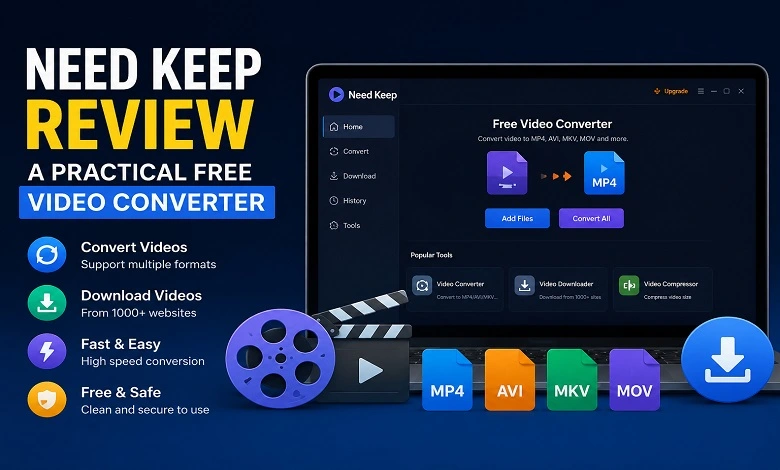
The way we consume video content has changed dramatically over the past decade. Whether need keep online courses, social media clips, product tutorials, podcasts, or entertainment videos, many users want the flexibility to save content for offline viewing or convert videos into formats that work across multiple devices.
While numerous tools claim to offer these capabilities, many come with restrictions such as download limits, complicated interfaces, subscription fees, or watermarks. Need Keep aims to simplify the process by combining video downloading and video conversion into a single desktop application.
In this review, we’ll explore what Need Keep offers, how it works, and why it may be useful for users searching for a reliable free video converter and video downloader.
Why Video Downloading and Conversion Are Still Important
Streaming services have made content more accessible than ever, but internet access isn’t always reliable. Students often save lectures for offline study, travellers download videos before long journeys, and professionals store webinars or training materials for future reference.
At the same time, file compatibility remains a common issue. A video downloaded from one source may not play properly on certain devices or editing software. That’s where a free video converter becomes useful.
Video conversion can help users:
- Play videos on different devices
- Reduce file sizes for easier storage
- Convert older formats into modern ones
- Optimize videos for mobile viewing
- Prepare files for editing and sharing
Instead of using separate applications for downloading and converting, Need Keep brings both functions together in one platform.
First Impressions of Need Keep
Upon launching the software, the interface immediately feels clean and beginner-friendly. The navigation menu is positioned on the left side, making it easy to switch between downloading, converting, and additional tools.
The software avoids clutter, which is refreshing compared to many multimedia applications that overwhelm users with advanced settings and unnecessary features.
Main Features at a Glance
- Video downloading from supported platforms
- Video format conversion
- Batch processing support
- Device compatibility optimization
- Simple file management
- AI-powered subtitle generation tools
Downloading Videos with Need Keep
The download section is straightforward to understand.
Users simply paste a video URL into the designated field and begin the download process. The software supports several popular content platforms, making it useful for people who regularly save online videos for offline access.
How the Download Process Works
- Copy the video URL from the source platform.
- Open Need Keep.
- Paste the URL into the download field.
- Select your preferred quality settings.
- Start the download.
The interface clearly displays download options without overwhelming the user.
Need Keep Download Interface
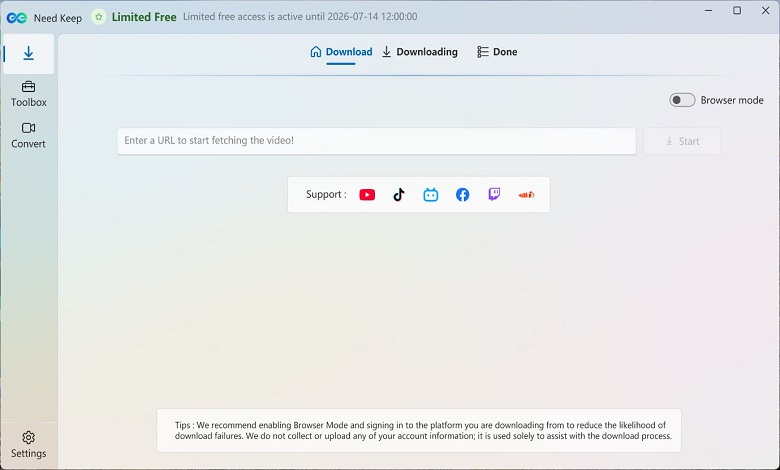
This screen shows the primary download workspace where users can paste video URLs and manage download tasks. The supported platform icons help users quickly understand the types of content that can be downloaded through the software.
Converting Videos with Need Keep
One of the most useful aspects of Need Keep is its built-in video conversion feature.
Rather than requiring separate software, users can convert downloaded or existing video files directly within the application.
The conversion process is simple:
- Open the Convert section.
- Import one or multiple video files.
- Choose an output format.
- Adjust optional settings.
- Start the conversion process.
Supported output formats can help improve compatibility with smartphones, tablets, laptops, media players, and editing software.
Video Conversion Workspace
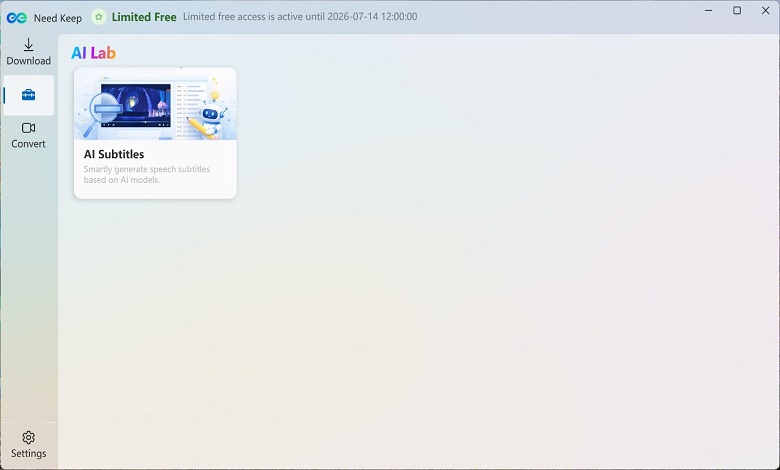
The conversion area provides a clean drag-and-drop workspace. Users can import video files, organize conversion tasks, and manage multiple files from a single screen. The interface is particularly useful for beginners who may not have experience with advanced video editing software.
Additional Tools Beyond Downloading and Conversion
An interesting aspect of Need Keep is that it goes beyond basic downloading and conversion.
Inside the Toolbox section, users can access additional utilities, including AI-powered features designed to simplify video management.
While these tools may not be the primary reason people install the software, they add extra functionality that can be helpful for content creators, educators, and professionals.
AI Subtitle Generation Tool
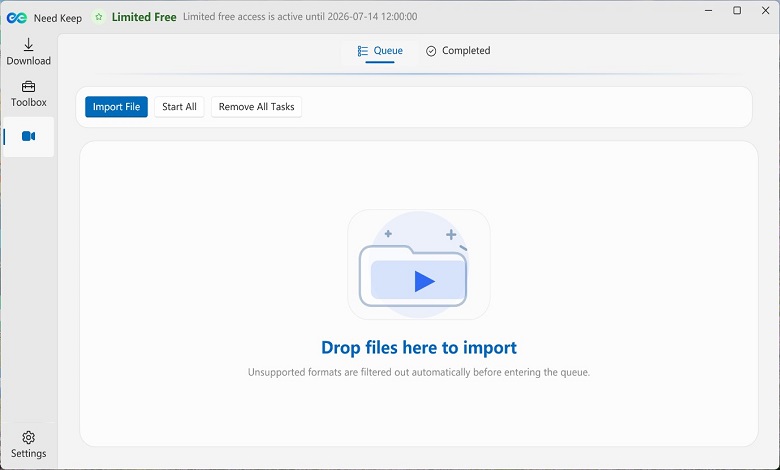
The AI subtitle feature can automatically generate subtitles based on speech recognition technology. This may be useful for users creating educational videos, social media content, tutorials, or presentations where captions improve accessibility and viewer engagement.
What Makes Need Keep Useful?
After exploring the software, several strengths stand out.
Beginner-Friendly Design
Many video applications require technical knowledge. Need Keep focuses on simplicity, making it approachable for users of all skill levels.
Download and Convert in One Place
Having both features inside one application saves time and reduces the need for multiple tools.
Clean Interface
The software’s layout is intuitive, helping users complete tasks without spending time learning complicated menus.
Useful for Multiple Types of Users
Need Keep can benefit:
- Students save educational materials
- Professionals downloading webinars
- Travellers preparing for offline entertainment
- Content creators managing video assets
- Everyday users organizing personal media libraries
Additional AI Features
The inclusion of AI subtitle generation gives the software more versatility compared to traditional download-only tools.
Things to Consider Before Using Any Video Downloader
Regardless of the software used, users should always respect copyright regulations and the terms of service of the platforms they download from.
Video downloading tools are best used for:
- Personal offline viewing
- Educational purposes
- Content you own
- Materials you have permission to download
Using downloaded content responsibly helps ensure compliance with applicable copyright laws.
Final Verdict
Need Keep offers a practical combination of downloading, conversion, and media management features within a single application. Instead of focusing solely on advanced technical options, it emphasizes accessibility and ease of use, making it suitable for everyday users.
For those seeking a free video converter that also supports video downloading and offers additional productivity features, Need Keep provides a straightforward solution worth exploring. Its clean interface, simple workflow, and additional tools, such as AI subtitle generation, make it more than just a basic downloader.