
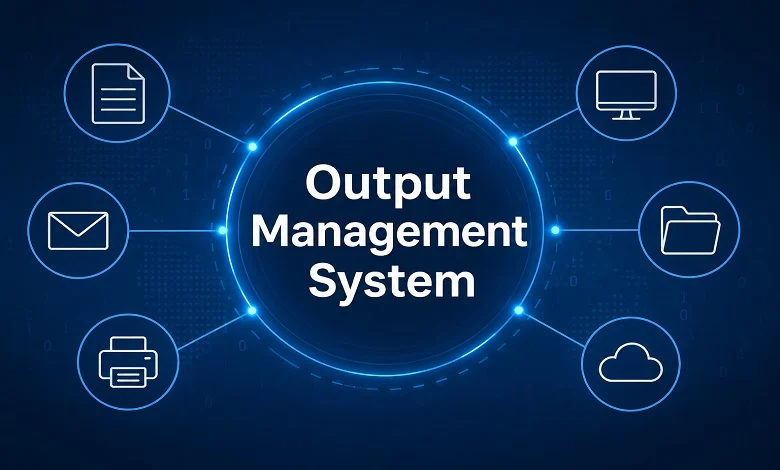
Businesses generate and distribute thousands of documents every day, from invoices and customer statements to reports, contracts, labels, and official notices. As document volumes grow, handling these outputs manually can become slow, expensive, and difficult to control. An output management system provides a way to organize and automate this process by controlling how business documents are created, formatted, routed, and delivered.
An output management system does much more than manage printers. Modern solutions can connect with ERP, CRM, billing, and other business applications, then distribute information through print, email, customer portals, electronic delivery, and other channels. This allows organizations to manage different types of business output through a more consistent and centralized workflow.
For companies dealing with large volumes of documents, understanding how output management works—and where it fits into the broader document workflow—can help reduce manual work, improve accuracy, and create a better experience for both employees and customers.
What Is an Output Management System?
An output management system (OMS) is software designed to manage the output generated by business applications.
When an ERP, CRM, billing platform, or another enterprise system creates a document, the information does not always go directly to the customer. The output may first need to be formatted, personalized, converted into a particular file type, routed to the correct destination, and delivered through the appropriate channel.
An OMS manages these steps according to predefined rules.
For example, a business could configure its workflow so that:
- Invoices are automatically emailed to customers.
- Certain financial documents are printed and mailed.
- Internal reports are sent to specific departments.
- Digital statements are placed in a customer portal.
- Shipping documents are sent to a designated printer.
- Sensitive communications are routed through a secure channel.
The exact capabilities vary between platforms, but the central purpose remains the same: to control and automate the delivery of business output.
How Does an Output Management System Work?
An output management workflow usually begins with a business application and ends with a customer, employee, business partner, printer, archive, or digital destination.
The process can be divided into several stages.
1. Output Is Generated
The first step takes place in a business application.
For example, an ERP system may generate an invoice after an order has been completed. A banking application may generate a monthly statement, while an HR platform may create an employee document.
The output management system receives the relevant data or document from that source.
2. Data Is Processed
The OMS processes the incoming information according to configured rules.
These rules may determine:
- Which template should be used
- Which language is required
- Who should receive the document
- Which delivery channel should be used
- Whether the document requires special handling
- Where a copy should be stored
This automated processing reduces the need for employees to make these decisions manually.
3. Documents Are Formatted
Business applications often generate structured data rather than a polished customer-facing document.
An output management system can apply templates and formatting to turn that information into a professional document.
This may include:
- Company branding
- Logos
- Customer details
- Tables
- Payment information
- Legal notices
- Personalized messages
- Barcodes
- QR codes
Centralized templates can also help maintain consistency across large organizations.
4. Output Is Routed
After formatting, the system determines where the document should go.
Routing rules can be based on factors such as document type, customer preference, department, location, or delivery requirements.
For instance, one customer may receive an invoice by email while another receives a printed copy.
This type of rule-based routing is one of the key reasons organizations use output management systems for high-volume document workflows.
5. Documents Are Delivered
The final output is delivered through the selected channel.
Depending on the system, destinations may include:
- Printers
- Customer portals
- File systems
- Electronic data interchange (EDI)
- Cloud applications
- Digital archives
- Other business systems
The system can also provide information about the processing status of output jobs.
What Can an Output Management System Manage?
An output management system can handle many different forms of business communication.
Common examples include:
- Invoices
- Account statements
- Purchase orders
- Sales orders
- Contracts
- Customer letters
- Financial reports
- Insurance documents
- Payment notices
- Tax documents
- Shipping labels
- Delivery documents
- Employee communications
- Regulatory notices
- Digital statements
- PDF documents
- Email communications
The types of output supported depend on the software and the organization’s requirements.
For a large enterprise, the ability to manage these different outputs from a centralized environment can simplify otherwise complicated document workflows.
Output Management System vs. Print Management
Output management and print management are often confused because both can involve printers.
However, their scope is different.
Print management is primarily concerned with printing operations. It can include printer monitoring, print queues, device management, print policies, and controlling printing costs.
An output management system has a broader role. It can manage the information before it reaches the printer and can also route documents to digital channels.
For example:
Print management:
Document → Printer
Output management:
Business application → Processing → Formatting → Routing → Print / Email / Portal / Digital destination
Print management can therefore be part of an organization’s wider output strategy.
Output Management System vs. Document Management System
An output management system and a document management system also serve different purposes.
A document management system (DMS) is primarily concerned with storing, organizing, searching, retrieving, and controlling access to documents.
An output management system focuses on what happens when information needs to be produced and distributed.
A simple way to remember the difference is:
Output management = produce and deliver
Document management = store and retrieve
The two systems can work together. For example, an organization may use an OMS to generate and distribute an invoice while using a document management or archive system to retain a copy for future access.
Key Features of an Output Management System
When evaluating an output management platform, businesses should consider more than basic document printing.
Automated Workflow
Automation allows repetitive document processes to run with minimal manual intervention.
This can reduce the amount of time employees spend preparing and distributing routine documents.
Document Composition
Document composition tools can create consistent templates for invoices, statements, letters, reports, and other communications.
Rule-Based Routing
Routing rules determine where different outputs should be sent based on predefined business requirements.
Multi-Channel Delivery
A modern OMS may support physical and digital channels, allowing businesses to deliver information through print, email, portals, and other electronic methods.
Output Monitoring
Monitoring tools provide visibility into document processing and can help identify failed or delayed jobs.
Personalization
Templates can use business and customer data to create documents that are personalized for individual recipients.
Integration
An output management system should be able to connect with the applications that generate business information.
Depending on the organization, this may include ERP, CRM, billing, HR, supply chain, and document management systems.
Security and Access Controls
Because business documents can contain sensitive information, organizations should consider authentication, permissions, encryption, auditing, and other security capabilities when evaluating an OMS.
Benefits of Using an Output Management System
The benefits of output management become more noticeable as document volumes and workflow complexity increase.
Reduces Manual Processing
Automated workflows can eliminate repetitive tasks such as downloading files, changing formats, selecting printers, and manually distributing documents.
Helps Reduce Errors
When employees handle large volumes of documents manually, mistakes can occur.
Automated rules and standardized templates can help reduce errors caused by inconsistent processes.
Speeds Up Document Delivery
Digital distribution can make it possible to deliver certain documents almost immediately after they are generated.
Improves Consistency
Centralized templates help ensure that documents follow the organization’s branding and formatting standards.
Provides Better Visibility
A centralized system can make it easier to monitor document jobs and identify problems.
Supports Multiple Communication Channels
Customers and business partners may prefer different ways of receiving information. Supporting multiple channels allows organizations to accommodate those preferences.
Helps Control Operating Costs
Reducing manual work, paper consumption, printing, postage, and reprocessing can potentially lower the cost of document distribution.
Actual savings depend on the organization’s document volume and existing processes.
How Businesses Use Output Management
Output management is useful across industries where large amounts of information need to be generated and distributed.
Banking and Financial Services
Banks generate statements, transaction documents, payment notices, confirmations, and other communications. An OMS can help manage these documents across physical and digital channels.
Insurance
Insurance providers regularly produce policies, claims documents, renewal notices, and customer correspondence.
Automated output workflows can help maintain consistency and improve distribution efficiency.
Healthcare
Healthcare organizations may generate billing documents, patient statements, appointment communications, and other information. Because some of this information can be highly sensitive, security and access controls are particularly important.
Telecommunications
Telecommunications providers handle large volumes of invoices, account statements, service notifications, and customer communications.
Automated output management can help process these communications at scale.
Manufacturing
Manufacturers may produce invoices, purchase orders, shipping documents, labels, reports, and other operational output.
An OMS can connect these documents with the systems and destinations involved in the supply chain.
Government and Public Services
Government organizations often produce notices, forms, permits, statements, and official correspondence.
Centralized output management can help standardize the production and delivery of these communications.
Security Considerations for Output Management
Business output can contain confidential customer, financial, employee, or operational information.
Security should therefore be part of the initial system evaluation.
Organizations should consider whether the platform supports appropriate controls for:
- Authentication
- User permissions
- Encryption
- Secure delivery
- Audit trails
- Access logging
- Document retention
- Data protection
- Regulatory requirements
The specific controls required will depend on the organization and the type of information being processed.
Businesses in regulated industries should involve their IT security and compliance teams when selecting and implementing an output management solution.
How to Choose the Right Output Management System
Choosing an OMS should begin with the organization’s existing document processes.
Start by identifying:
What documents are generated?
List invoices, statements, reports, contracts, labels, notices, and other outputs.
Where does the information come from?
Identify ERP, CRM, billing, HR, and other source applications.
Where does the output need to go?
Determine whether you require print, email, portals, archives, EDI, or other channels.
How much output do you process?
Document volume is an important factor when comparing systems.
Which processes are currently manual?
These are often the areas where automation can provide the greatest benefit.
What security requirements apply?
Consider the sensitivity of your documents and the regulations relevant to your industry.
Can the platform scale?
The system should be able to handle future growth in document volume, users, applications, and delivery channels.
Best Practices for Implementing an Output Management System
Technology alone does not guarantee a successful implementation.
A well-planned approach can make the transition considerably easier.
Map Existing Workflows
Document how information currently moves from the source application to the final recipient.
Prioritize High-Volume Processes
Start with processes where automation can produce a measurable benefit, such as invoices or customer statements.
Standardize Templates
Review existing document templates and remove unnecessary variations where possible.
Define Routing Rules Carefully
Clear rules help ensure that documents reach the correct destination without creating unnecessary exceptions.
Test Before Going Live
Test different document types, recipients, delivery channels, and failure scenarios before moving a workflow into production.
Monitor Performance
After implementation, track processing times, failed jobs, manual interventions, and other relevant metrics.
Review the System Regularly
Business requirements change. New applications, communication channels, and customer preferences may require updates to the output workflow.
Is an Output Management System Right for Every Business?
Not necessarily.
A small business generating a limited number of simple documents may have little need for a sophisticated enterprise output platform.
The case for an OMS becomes stronger when an organization:
- Produces large document volumes
- Uses multiple business applications
- Has complex distribution requirements
- Relies heavily on manual document processing
- Needs multiple delivery channels
- Requires centralized monitoring
- Handles sensitive or regulated information
The right solution should match the organization’s actual requirements rather than adding unnecessary complexity.
The Future of Output Management
Business communication is becoming increasingly digital, but physical documents remain important in many industries.
This means output management is likely to remain a combination of print and digital delivery rather than moving entirely away from paper.
At the same time, automation, cloud technologies, APIs, analytics, personalization, and artificial intelligence are changing how organizations manage business output.
Future output management systems are likely to place greater emphasis on intelligent routing, real-time monitoring, personalization, integration, and data-driven decision-making.
The broader trend is clear: organizations want greater control over how information moves from their internal systems to customers, employees, partners, and other recipients.
Frequently Asked Questions
Q: What is an output management system used for?
A. An output management system is used to process, format, route, and distribute documents and other information generated by business applications. It can support both print and digital delivery.
Q: What is an example of output management?
A. A company generates an invoice in its ERP system. The output management system applies the correct template, determines the customer’s preferred delivery method, creates the final document, and sends it by email or routes it for printing.
Q: Is output management the same as document management?
A. No. Output management focuses mainly on producing and distributing information, while document management focuses on storing, organizing, retrieving, and controlling documents.
Q: Can an output management system handle digital documents?
A. Yes. Depending on the platform, an OMS can support email, PDFs, customer portals, electronic delivery, archives, and other digital channels in addition to physical printing.
Q: What systems can an OMS integrate with?
A. An output management system can often integrate with ERP, CRM, billing, HR, document management, databases, APIs, and other enterprise applications. The exact integrations depend on the specific platform.
Q: Who benefits most from an output management system?
A. Organizations with high document volumes, complex workflows, multiple applications, or several delivery channels generally have the strongest use case for output management.
Final Thoughts
An output management system gives businesses a centralized way to control the production and distribution of information generated by their applications.
Instead of relying on separate manual processes for printing, emailing, formatting, routing, and monitoring documents, organizations can use automated rules and workflows to manage these activities more efficiently.
The value of an OMS is not simply in producing documents faster. It is in creating a reliable process that connects business applications with the people and channels that need their output.
For organizations dealing with growing document volumes or increasingly complex communication requirements, the right output management strategy can provide greater efficiency, consistency, visibility, and control—while making it easier to deliver information through the channels customers and employees actually use.
One thought on “Output Management System: A Complete Guide to Managing Business Documents”
Comments are closed.