
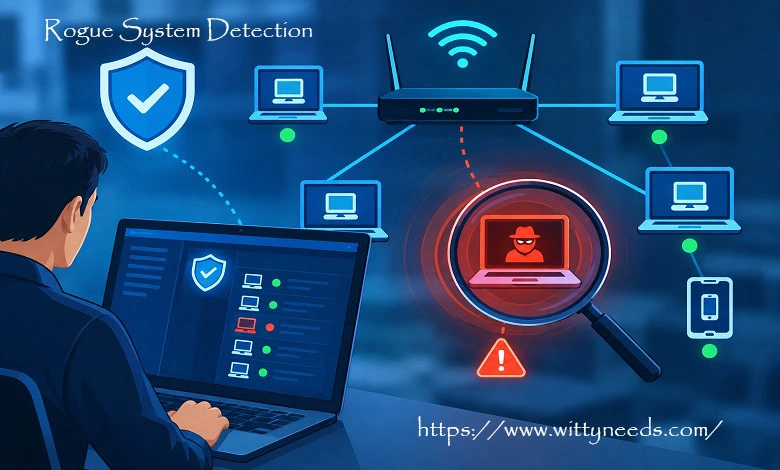
A single unauthorized device can create an unexpected security gap inside an otherwise well-managed network. It might be an employee’s personal laptop, an unapproved wireless access point, an unmanaged IoT device, or an old system that was never removed from the network. Rogue system detection helps organizations find these unknown or unauthorized systems, determine whether they are legitimate, and respond when they create a security risk.
NIST defines a rogue device as an unauthorized node on a network. In practice, detecting one requires more than simply finding an unfamiliar IP address. Security teams need to understand what the device is, who owns it, how it connects, and whether it should have access to the environment.
What Is Rogue System Detection?
Rogue system detection is the process of discovering, identifying, and investigating systems or devices that are not approved to operate on an organization’s network.
The purpose is to maintain visibility and control over network assets. An unknown device is not automatically malicious. It could be a newly installed computer that has not been added to the asset inventory. However, it could also represent an unmanaged security weakness or an attacker’s entry point.
A practical detection process usually involves four questions:
| Question | Purpose |
| What is connected? | Discover systems and devices |
| Is it authorized? | Compare it with approved assets |
| Is it secure? | Check its configuration and behaviour |
| What should happen next? | Authorize, remediate, isolate, or remove it |
This makes rogue system detection part of a wider security and asset-management strategy.
What Is a Rogue System?
A rogue system is an unauthorized or unapproved system connected to an organization’s computing or network environment.
The term can apply to different types of devices, including computers, servers, wireless equipment, IoT devices, and other network-connected hardware.
Common examples include:
| Rogue system | Example |
| Personal computer | Employee connects an unmanaged laptop |
| Wireless router | Someone installs a consumer router without approval |
| Rogue access point | Unauthorized Wi-Fi equipment appears near the corporate network |
| IoT device | An unapproved camera, sensor, or smart device is connected |
| Forgotten server | An old test or development system remains online |
| Compromised endpoint | An approved device becomes suspicious after compromise |
Not every rogue system is deliberately installed by an attacker. Poor asset management and unauthorized changes can create the same visibility problem.
Why Rogue Systems Are a Security Risk
The biggest problem with an unauthorized system is uncertainty. Security teams may not know whether it is patched, protected, monitored, or managed according to company policy.
A rogue system can create several risks.
Unauthorized Access
An unmanaged device may gain access to internal services that should only be available to approved systems.
Malware Exposure
A personal or poorly maintained computer may lack current security controls and could introduce malicious software into the environment.
Data Exposure
If the device can communicate with sensitive systems, it may create an opportunity for unauthorized access to information.
Lateral Movement
An attacker who compromises one device may attempt to use it as a starting point for reaching other systems.
Network Weaknesses
An unauthorized router or access point can create a connection path that security teams did not design or monitor.
Compliance Concerns
Organizations in regulated industries may need accurate asset inventories and controls over unauthorized components. Rogue devices can make those requirements more difficult to manage.
Rogue System Detection vs. Asset Discovery
Asset discovery and rogue system detection are related, but they serve different purposes.
Asset discovery focuses on identifying what exists in an environment. Rogue system detection adds the question of whether those systems are authorized.
| Asset discovery | Rogue system detection |
| Finds devices and systems | Finds unauthorized or suspicious devices |
| Builds network visibility | Compares devices with approved assets |
| Supports inventory management | Supports security investigation |
| Answers what is connected | Helps determine whether it should be connected |
Organizations generally need both. You cannot reliably identify rogue systems without first having a reasonable understanding of the assets that are supposed to exist.
How Rogue System Detection Works
A strong detection process combines several sources of information instead of relying on one scan.
Network Discovery
Network monitoring can identify devices communicating across different network segments. Depending on the environment, security teams may collect information such as IP addresses, MAC addresses, host names, ports, and traffic patterns.
The goal is to create an accurate view of active systems.
Asset Correlation
The discovered information can then be compared with the organization’s asset inventory.
For example, if a company has 800 registered endpoints but monitoring identifies another device communicating on an internal segment, the additional system can be flagged for investigation.
That does not automatically make it malicious. It may simply be a newly deployed device that has not yet been documented.
Authentication Monitoring
Authentication systems can provide additional context. If a device attempts to connect without using approved credentials or access methods, the event can become more significant.
Network access control can also be used to enforce policies before a device receives normal network access.
Wireless Monitoring
Wireless environments require additional attention because unauthorized access points can appear within or near an organization’s physical location.
Modern wireless platforms can detect nearby access points, classify them, and help administrators determine whether they are connected to the organization’s network. Cisco’s current wireless documentation describes rogue detection and classification capabilities for unauthorized access points and clients.
Behavioral Monitoring
Device identity is only part of the picture.
An approved device may become suspicious if its behavior changes significantly. For example, it might suddenly communicate with unusual destinations, access systems outside its normal role, or generate unexpected network activity.
Combining identity with behavior can help security teams distinguish ordinary unknown devices from potentially compromised systems.
Rogue Access Points and Wireless Networks
Rogue access points are one of the most recognizable forms of rogue devices.
A rogue access point is an unauthorized wireless access point operating without the knowledge or approval of the network administrator. Cisco notes that such devices can create risks including unauthorized access, interception, and man-in-the-middle attacks.
A simple example is an employee connecting a consumer W-fie router to a corporate network because the existing wireless signal is weak.
The employee may have no malicious intention, but the new device can bypass security controls or create an additional network path that the security team does not manage.
A more serious scenario involves an attacker creating an access point that imitates a legitimate wireless network. Users may connect to it without realizing that their traffic is being exposed to an unauthorized system.
For this reason, wireless monitoring is an important part of a broader rogue system detection program.
Common Signs of a Rogue System
An unknown device deserves investigation when one or more of the following conditions occur:
| Indicator | Why it may matter |
| No asset record | The organization cannot identify the device |
| Unknown MAC address | The hardware is not associated with an approved asset |
| Unexpected hostname | The device does not match normal naming conventions |
| Sudden appearance | The system recently appeared on a protected network |
| Unusual network traffic | Communication differs from the device’s normal behavior |
| Unauthorized wireless connection | An unknown access point is operating nearby |
| Unexpected services | The system exposes services that are not normally required |
| Unknown owner | No responsible user or department can be identified |
These indicators should be treated as investigation triggers rather than automatic proof of an attack.
A Practical Rogue System Detection Process
Organizations can establish a repeatable process for handling unknown systems.
1. Maintain an Accurate Asset Inventory
Keep records of computers, servers, access points, IoT devices, network equipment, and other important systems.
Where appropriate, include ownership, location, device type, operating system, network identifiers, and management status.
2. Monitor the Network
Use network and wireless monitoring to identify devices that communicate within the environment.
Continuous monitoring can reduce the time between a device appearing and the security team becoming aware of it.
3. Compare Devices With Approved Assets
Automatically correlate discovered devices with the asset database when possible.
Devices that cannot be matched should be placed into an investigation workflow.
4. Identify the Owner
Determine who owns or controls the device and why it is connected.
A quick investigation may reveal that the system is legitimate but was simply not documented correctly.
5. Assess the Risk
Review the device’s configuration, security controls, network access, and behavior.
A device with no security management and access to sensitive systems deserves more attention than a guest device isolated on a dedicated network.
6. Take Appropriate Action
Depending on the findings, the organization may authorize the system, add it to inventory, remediate its security configuration, isolate it, or remove it from the network.
7. Document the Outcome
Record what was discovered and what action was taken.
This helps maintain an accurate inventory and makes future investigations faster.
Technologies Used for Rogue System Detection
Different organizations require different combinations of security technologies.
| Technology | Main purpose |
| Network discovery tools | Identify connected devices |
| Network Access Control | Enforce device access policies |
| Wireless monitoring | Detect unauthorized wireless equipment |
| Endpoint management | Track managed computers |
| Asset management | Maintain approved device records |
| SIEM | Correlate security events |
| Vulnerability scanners | Identify exposed systems and weaknesses |
| IDS/IPS | Detect suspicious network activity |
No single technology provides complete coverage. Combining multiple sources generally gives security teams more useful context.
Rogue System Detection Challenges
Detecting unauthorized systems becomes more difficult as networks grow.
Large Environments
Organizations may have thousands of endpoints, making manual inventory management impractical.
False Positives
Newly installed devices, temporary systems, contractors, and guest equipment can appear unfamiliar even when they are legitimate.
Remote Work
Employees may connect from home, public networks, and cloud environments, making traditional network boundaries less obvious.
IoT Devices
IoT equipment can be difficult to identify and manage because manufacturers use many different operating systems and communication methods.
Cloud and Virtual Systems
Virtual machines and cloud resources can appear and disappear quickly, making static asset lists less reliable.
Encrypted Traffic
Encryption protects communications but can reduce the amount of content that traditional network monitoring can inspect.
These challenges make automation and accurate asset information increasingly important.
How to Prevent Rogue Systems
Detection is only one part of the solution. Organizations should also reduce the likelihood of unauthorized devices appearing.
Create clear policies explaining which devices may connect to corporate networks and who can approve new equipment.
Use network segmentation to limit what different device categories can access. A device that does not belong on a sensitive network should not automatically be able to communicate with critical systems.
Network access control can help enforce device and authentication requirements before granting normal connectivity.
Organizations should also manage wireless infrastructure carefully and monitor for unauthorized access points.
Employee awareness is important as well. Staff should understand why connecting personal routers, unmanaged computers, or unauthorized IoT equipment can create security problems.
Best Practices for Rogue System Detection
A practical program should focus on visibility, accuracy, and response.
Maintain an up-to-date asset inventory and review it regularly.
Monitor both wired and wireless environments.
Automate the comparison between discovered devices and approved assets.
Use alerts to highlight unknown or suspicious systems.
Investigate before classifying an unfamiliar device as malicious unless there is an immediate security reason to contain it.
Segment sensitive systems so that unauthorized devices have limited access.
Connect asset management with security monitoring where possible.
Document investigations and use the results to improve security policies.
Review detection rules as the network changes.
Rogue System Detection and Zero Trust
Zero trust security is based on the principle that access should not be granted simply because a device or user is inside a particular network.
This makes device visibility especially important.
If an organization does not know what devices are connected, it becomes difficult to apply appropriate access policies.
Rogue system detection supports this broader security model by helping organizations identify devices and determine whether they should receive access.
The goal is not simply to find unknown systems. It is to make sure every important device has an understandable identity, appropriate access, and suitable security controls.
What Happens After a Rogue System Is Detected?
Finding a rogue system is only the beginning.
The response should depend on the device’s identity, behavior, location, access level, and potential impact.
A legitimate device may simply need to be documented and brought under management.
A device that violates policy may need to be removed or reconfigured.
A suspicious device may require isolation and further security investigation.
For wireless networks, specialized platforms may also provide location and classification information. Cisco documents capabilities for identifying and locating rogue access points and clients, while newer Cisco Catalyst Center documentation describes classification of unauthorized APs into categories that help administrators prioritize investigation.
Automatic containment should be used carefully. A false classification could disrupt legitimate wireless connectivity, so organizations should establish appropriate policies and understand the operational consequences before enabling automated response.
Final Thoughts
Rogue system detection helps organizations maintain visibility over what is connected to their networks and identify devices that do not belong or no longer meet security requirements.
The most effective approach combines accurate asset inventories, network and wireless monitoring, access controls, automated alerts, and human investigation. When an unknown system appears, the objective should be to understand it quickly and take an appropriate, documented action.
As networks become more distributed and connected, knowing what is present on the network is an essential part of maintaining a strong security posture.
Frequently Asked Questions
Q: What is rogue system detection?
A. Rogue system detection is the process of finding and investigating unauthorized or unapproved systems and devices connected to a network.
Q: Is every rogue system malicious?
A. No. Some unknown devices are legitimate systems that were not properly documented or approved. Investigation is needed to determine the actual risk.
Q: What is a rogue access point?
A. A rogue access point is an unauthorized wireless access point operating without appropriate approval or management. It can create an uncontrolled path into a network.
Q: How are rogue systems detected?
A. They can be detected through network discovery, wireless monitoring, asset management, network access control, endpoint management, vulnerability scanning, and security monitoring.
Q: Can rogue system detection stop cyberattacks?
A. Detection can reduce risk by identifying unauthorized systems earlier, but it is not a complete cybersecurity solution. Organizations also need access controls, segmentation, endpoint protection, patch management, monitoring, and incident response.
Q: What should you do after finding a rogue device?
A. Identify the device and owner, determine why it is connected, assess its security and access, and follow the organization’s procedure to authorize, remediate, isolate, or remove it.